Redesigning UC Berkeley Public Health Program Finder & Application Flow
Overview
This 3-month project focused on simplifying the process for students to learn more and apply to specific programs at UC Berkeley’s School of Public Health.

The redesign addressed key pain points, reduced complexity, and made it easier for prospective students to discover and apply to programs.

My Role
I led the end-to-end design of key features, Information Architecture, and final prototypes
Product Design
  • UX/UI Design
  • IA, Wireframing, User Flows
  • Prototyping, Usability Testing
  • Design System
  • Visual Design
Tools
  • Figma
  • Figjam
  • Dovetail
  • Slack
  • Pen & Paper
Status
Developed
Timeline
3 Months
Team
1 Product Designer
1 Front-end Developer (Client)
Impact
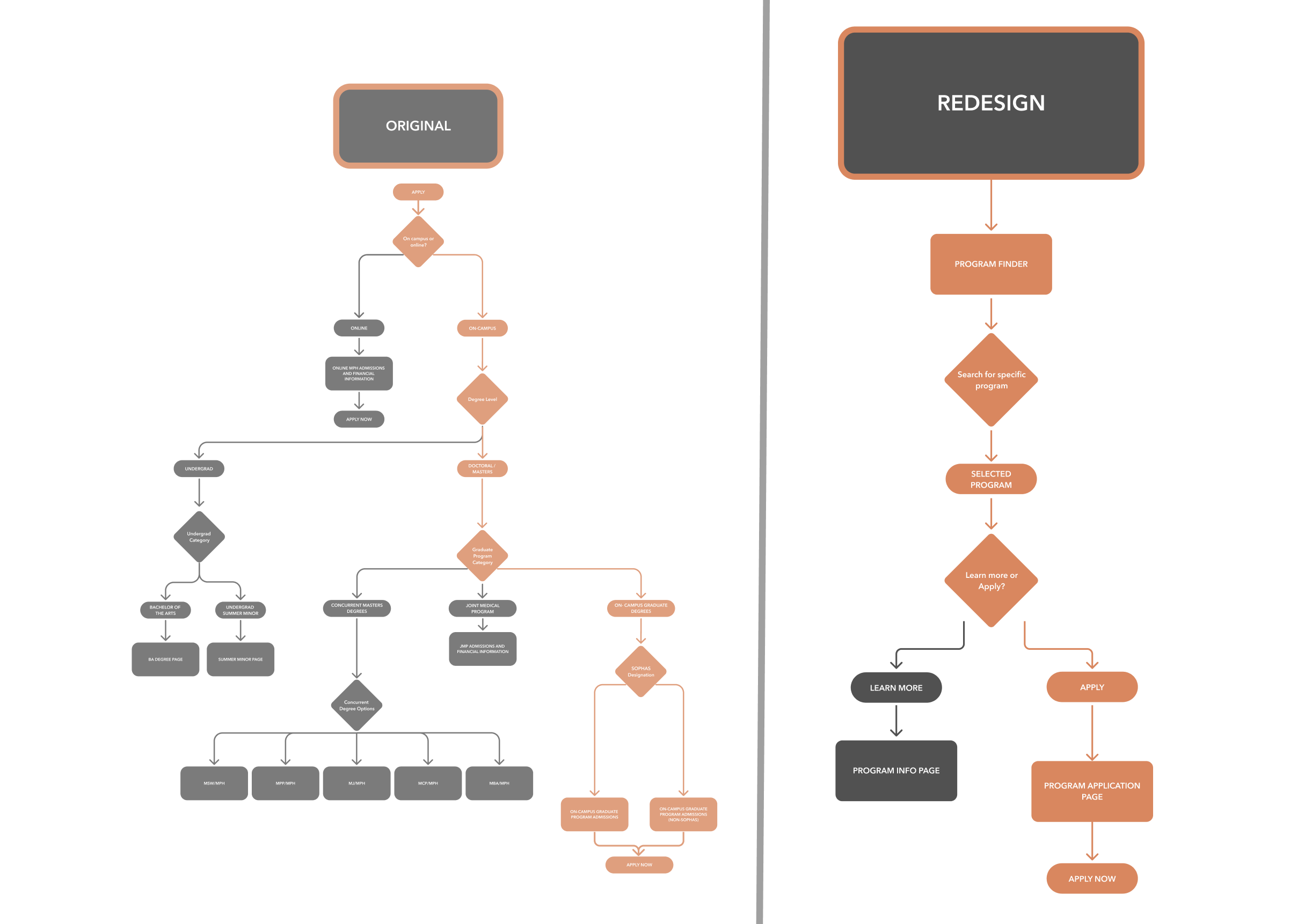
Reduced number of clicks by 50% and the number of decisions by 100% required on the students' end to apply for a program

EXPLORING THE PROBLEM

Complicated Information Architecture

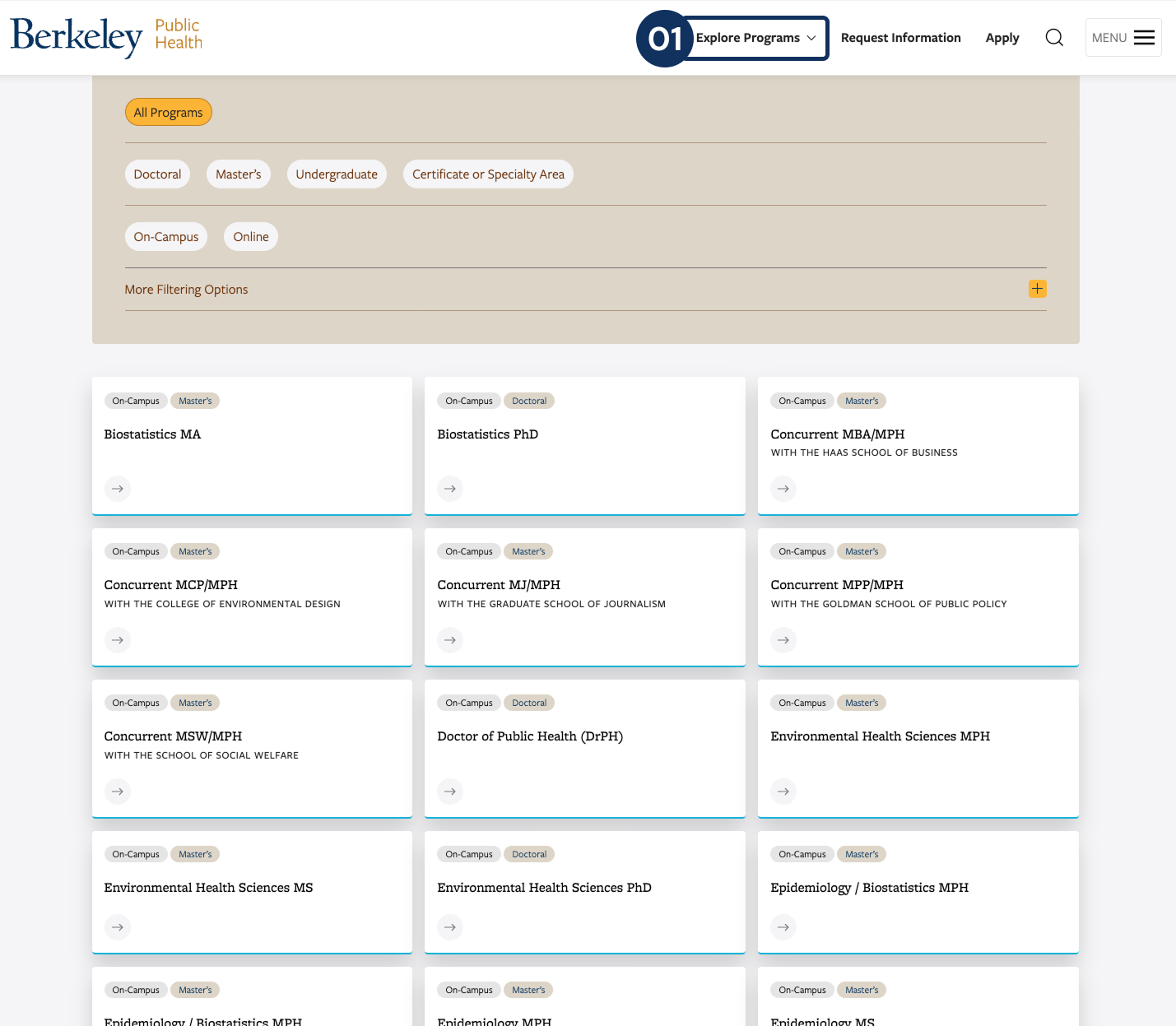
The existing information architecture and application flow involved multiple clicks and decisions, which confused prospective students and delayed their ability to determine the correct application path for a particular program.

DISCOVERY

Stakeholder InterviewsCompetitive AnalysisHeuristic Evaluation

Stakeholder Interviews

Heuristic Evaluation

Competitor Analysis

USERS

Prospective Students

Current Undergraduate Students

Admissions Team

HMW streamline the Explore Programs and Apply flow to help students quickly locate, compare, and apply to specific programs without confusion?

Why didn't I interview the students themselves at this stage?

During the beginning of the project, the teams' budget for user research was delayed. For exploratory research, I decided to interview internal stakeholders as a means to better understand the projects needs

Ideation & Iteration

Enhanced Navigation & Discoverability
Informed By
Usability Testing
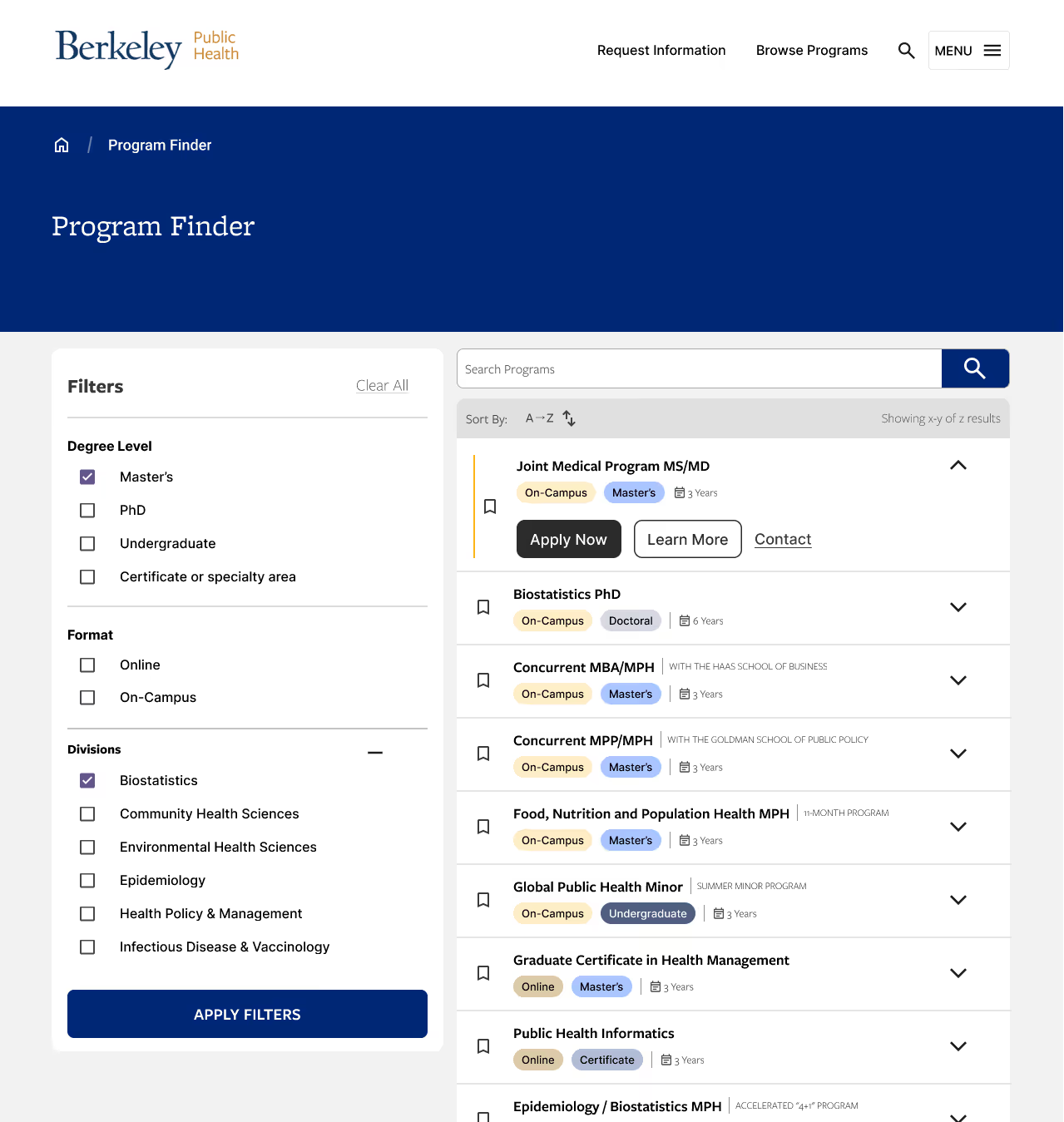
During usability testing, students praised the search bar affordance, the sticky filter menu, and the improved scannability compared to the original.
High Cognitive Load in the Application Page
Informed By
Usability Testing
When tasked with applying to a specific program, students struggled with the “apply” page due to the persistent issue of narrowing application types. While they liked the design, the high cognitive load from excessive decisions and text was a challenge.
Students want to learn more and apply to program is least amount of steps
"If I click apply, I'm ready to apply"
-Usability Test Participant
Informed By
Usability Testing
The apply flow uses terms, often unfamiliar with new students, such as "SOPHAS" or "non-SOPHAS" applications
Final Designs
Learn before applying
The new program finder design allows students to be able to more easily learn more about a program before applying

Comparing programs

The new program finder shows high-level information for the student to access

Mobile Prototypes

Takeaways

Further Research Opportunities

If given more time, deeper research into niche user groups such as international students could provide even more tailored improvements

Early-Stage User Research

Due to the lack of exploratory research in the beginning, there were a lot of unanswered questions mid-project that could have been solved with user research. Advocating for and conducting research at the beginning of a project is critical to the design process.